
As online shopping continues to boom, so does the risk of fraud. From fake orders and spamming bots to malicious activities aimed at stealing data or triggering chargebacks, WooCommerce store owners are under constant threat. If you want to keep your store secure and your customers safe, implementing IP address blocking is one of the smartest moves you can make.
By blocking high-risk or known fraudulent IPs, you prevent bad actors from accessing your site, cutting off their ability to disrupt your business. It’s a proactive security step that keeps scammers out and ensures a safer experience for real customers.
For even greater protection, pair IP blocking with location-based tax display tools like Tax Display by Country for WooCommerce. It’s a layered security approach that improves accuracy, compliance, and customer trust across regions.
What’s an IP Address and Why Does It Matter?
An IP address (Internet Protocol address) is a unique number that identifies every device connected to the Internet. Think of it like a digital return address,it helps route information to and from devices.
There are two main versions:
- IPv4 – The standard format with four number blocks (e.g., 192.168.1.1)
- IPv6 – A newer version with a larger address range to handle the growing number of internet-connected devices
In WooCommerce, IP addresses help identify and track site visitors. By analyzing these, you can detect suspicious activity and block threats before they cause harm. It’s a vital tool in your store’s security toolkit,especially when paired with other features like WooCommerce Ultimate Gift Card, which lets you manage gift cards securely with customizable email templates.
Why IP Blocking Is Critical for WooCommerce Security
An IP address acts like a digital fingerprint. Fraudsters often use fake, masked, or temporary IPs to commit various forms of e-commerce fraud, including:
- Placing fake orders
- Spamming your product reviews
- Triggering chargebacks with stolen cards
Blocking these IPs helps you shut the door on these behaviors before they escalate.
The Benefits of IP Blocking in WooCommerce
- Stop Fake Orders: Repeated IPs are often tied to fraudulent activity. Blocking them cuts the problem at its root.
- Protect Your Brand Reputation: Fraud and chargebacks impact credibility. Blocking suspicious users keeps your store’s name clean.
- Target High-Risk Regions: Some locations experience higher fraud rates. Block them directly via IP or geolocation.
- Reduce Chargebacks: Preventing unauthorized purchases early means fewer disputes and refund headaches later.
Blocking IP Addresses in WooCommerce: How It’s Done
You can block IPs manually or streamline the process with security-focused plugins. One of the most trusted tools is the Aelia Blacklister for WooCommerce, which simplifies blacklist management and adds robust fraud prevention.
Bonus: You can also block email addresses to reinforce your firewall against repeat offenders.
Meet Aelia Blacklister: Your WooCommerce Fraud Protection Plugin
The Aelia Blacklister plugin is a powerful and intuitive solution designed to block users at checkout based on their IP address, email, phone number, shipping address, and more.
It allows you to take immediate action against suspicious behavior, without needing any coding knowledge.
Key Features at a Glance
Custom Blocking Rules:
Create precise or broad blocking rules using exact matches or pattern-based (regex) filtering for IPs, emails, names, and more.
Geolocation Filters:
Block users based on country or region to manage fraud hotspots.
Chargeback Prevention:
Stop fraud before it happens by identifying repeat offenders and shutting them out.
Custom Messages for Blocked Users:
Control how blocked visitors see denial messages for a better, more professional user experience.
Multi-layer Security:
Combine IP, email, phone, and location-based rules for full-spectrum protection.
Why Choose Aelia Blacklister?
- No Technical Skills Needed: Built for WooCommerce users of all levels
- Instant Fraud Blocking: Stops scammers at the checkout screen
- Real-Time Filtering: Monitors and evaluates user data live as they attempt to buy
- Smooth WooCommerce Integration: Works seamlessly with your existing store setup
How to Install Aelia Blacklister for WooCommerce
Ready to lock down your store? Follow these quick steps:
Step 1: Purchase and Download the Plugin
- Visit the Aelia product page and purchase the Blacklister plugin.
- Once your purchase is complete, you’ll receive a downloadable ZIP file containing the plugin.
Step 2: Log into Your WordPress Dashboard
- Open your web browser and go to your WordPress login page (typically www.yoursite.com/wp-admin).
- Enter your login credentials and click Log In to access your admin panel.
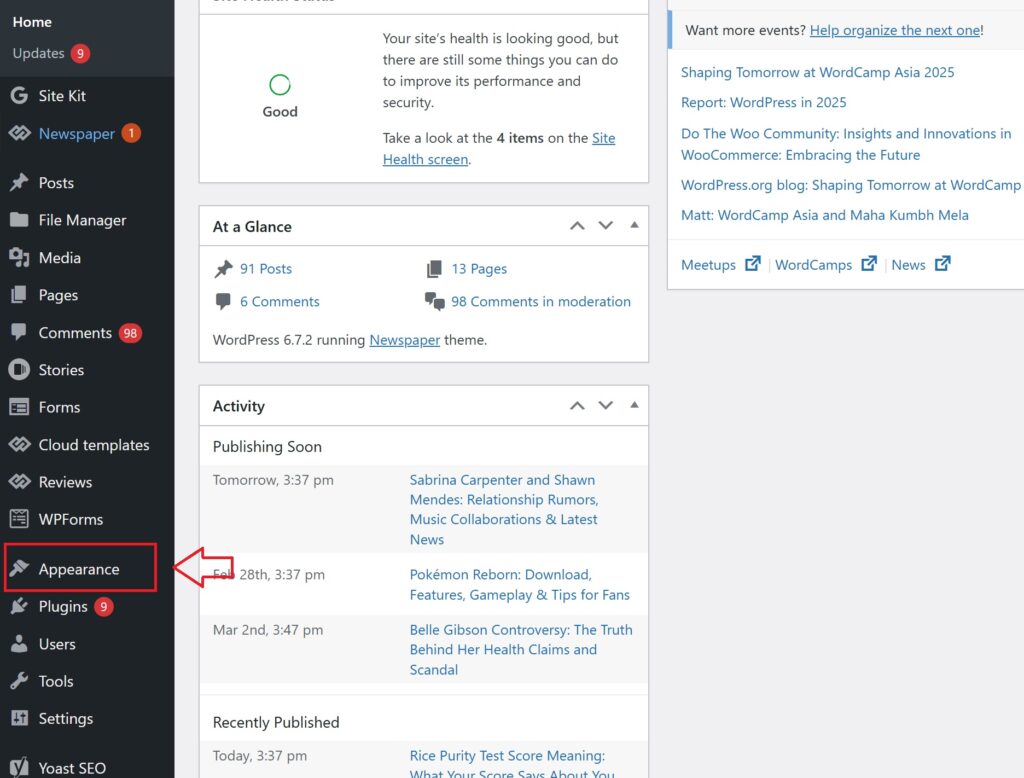
Step 3: Navigate to Plugins → Add New

- In the WordPress admin sidebar, hover over Plugins.
- Click on Add New from the dropdown menu to access the plugin installation page.
Step 4: Upload the Plugin ZIP File
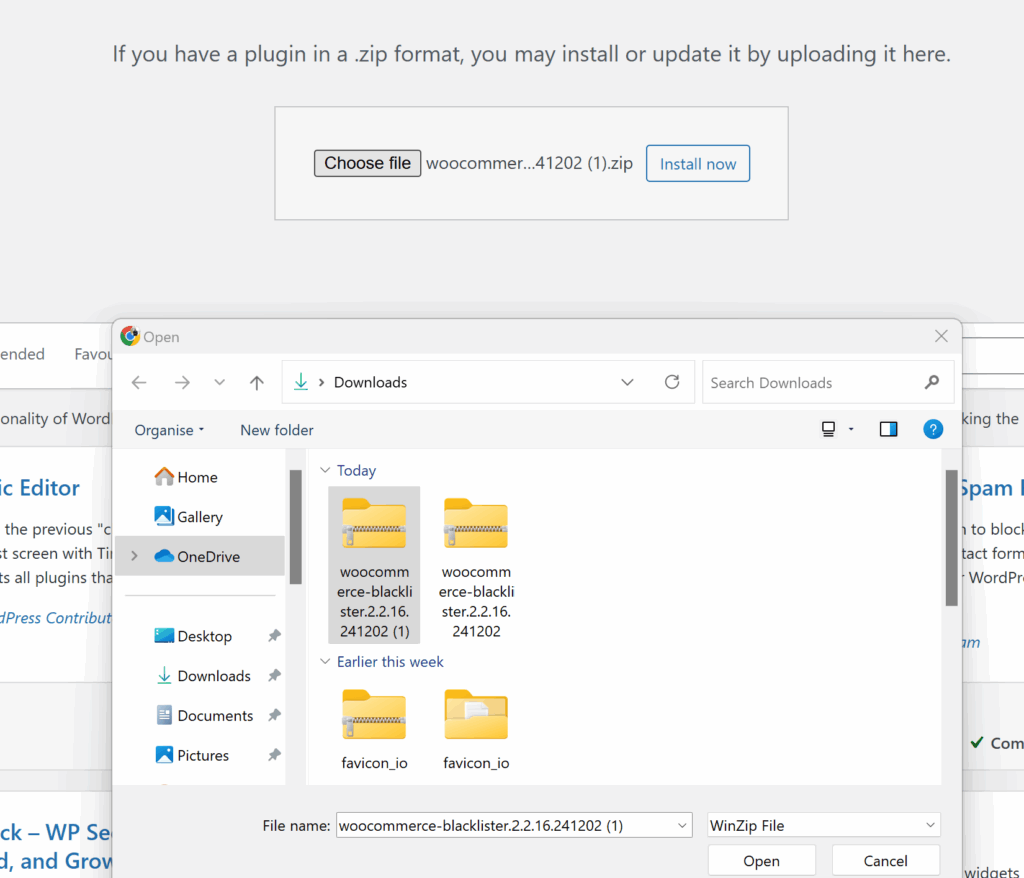
- At the top of the page, click the Upload Plugin button.
- Click Choose File, then locate and select the Aelia Blacklister ZIP file from your computer.
Step 5: Install the Plugin
- After selecting the file, click Install Now.
- WordPress will begin installing the plugin. This may take a few moments.
Step 6: Activate the Plugin
- Once installation is complete, click the Activate button to enable the plugin on your WooCommerce store.
Configuring IP Blocking with Aelia Blacklister for WooCommerce
Once you’ve activated the Aelia Blacklister plugin, you can begin setting up rules to block suspicious users from interacting with your store.
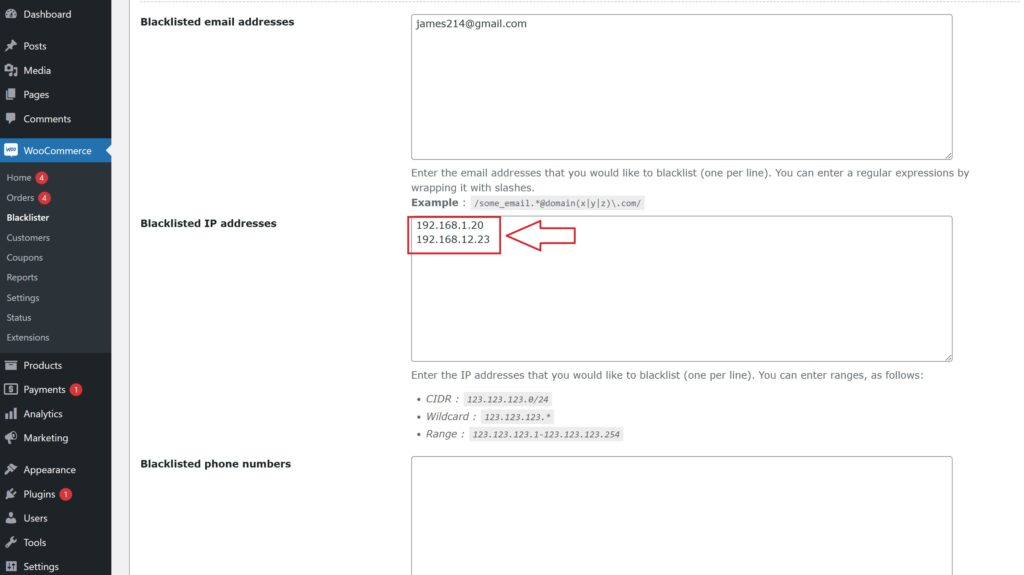
How to Block Users by IP Address
To restrict access based on IP:
- Navigate to your WooCommerce Admin Dashboard
- Go to Aelia Blacklister Settings
- Locate the IP Address Blocking section
- Add any known fraudulent or suspicious IP addresses
- Save the settings,those IPs will now be blocked from making purchases
You can enter multiple IP addresses, giving you a wide net of protection.
Why This Works:
Malicious users often reuse the same IPs or IP ranges to target stores repeatedly. By identifying and blocking these early, you reduce the risk of chargebacks, fake orders, and abusive behavior.
Expand Protection with Additional Blocking Rules
Aelia Blacklister offers much more than just IP filtering. You can create rules to automatically block users based on:
- Email addresses
- Usernames
- Phone numbers
- Billing or shipping addresses
- Geographic location (country or region via geolocation)
This comprehensive approach gives your WooCommerce store an added layer of protection against fraud and misuse.
Bonus: Use Aelia Currency Switcher for a Better Global Experience
If your store serves international customers, pair Aelia Blacklister with the Aelia Currency Switcher plugin. This tool allows shoppers to view product prices in their local currency using real-time exchange rates, making the checkout process more intuitive and conversion-friendly.
By combining fraud prevention with user experience enhancements, your WooCommerce store stays both secure and globally accessible.
